Rolling updates
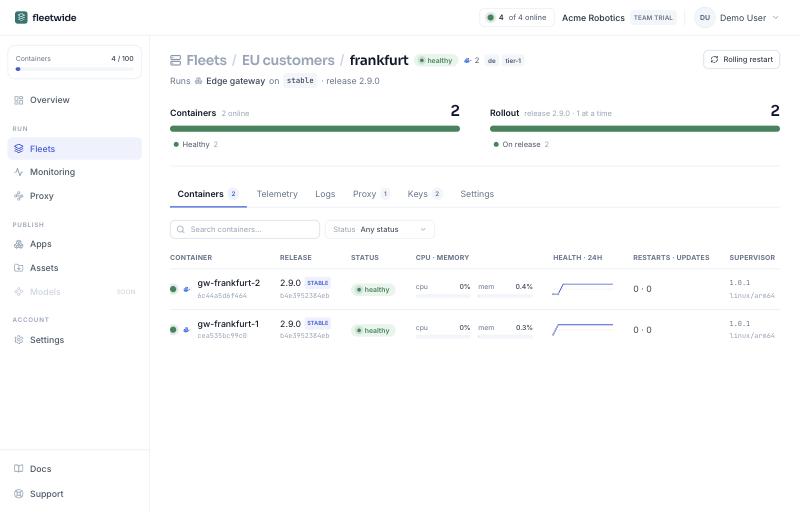
The deployment is the unit of rollout. When the fleet's channel moves, only so many of a deployment's containers are updated at once: the fleet's setting, or the count or percentage the deployment overrides it with. The next batch starts when the previous one reports the new release healthy. The deployment page shows each container's release, health and the rollout's progress, and offers a rolling restart that cycles the containers without changing the release.
Each container stages the new release while the old one is still serving: it pulls only the layers that changed and prepares the files beside the running app. Then it stops the app, puts the new files in place, removes what the old release left behind and starts again. The application is down for about the time of a restart, not for the download. Assets move in the app's apply order, before or after the image.
One container that fails halts its deployment: the rest stay on the release they have and the console names the one that broke. The failed release is remembered for that container until you allow a retry. A rollout can also be halted by a metric condition, held by the fleet's update window, or pushed through with apply now.